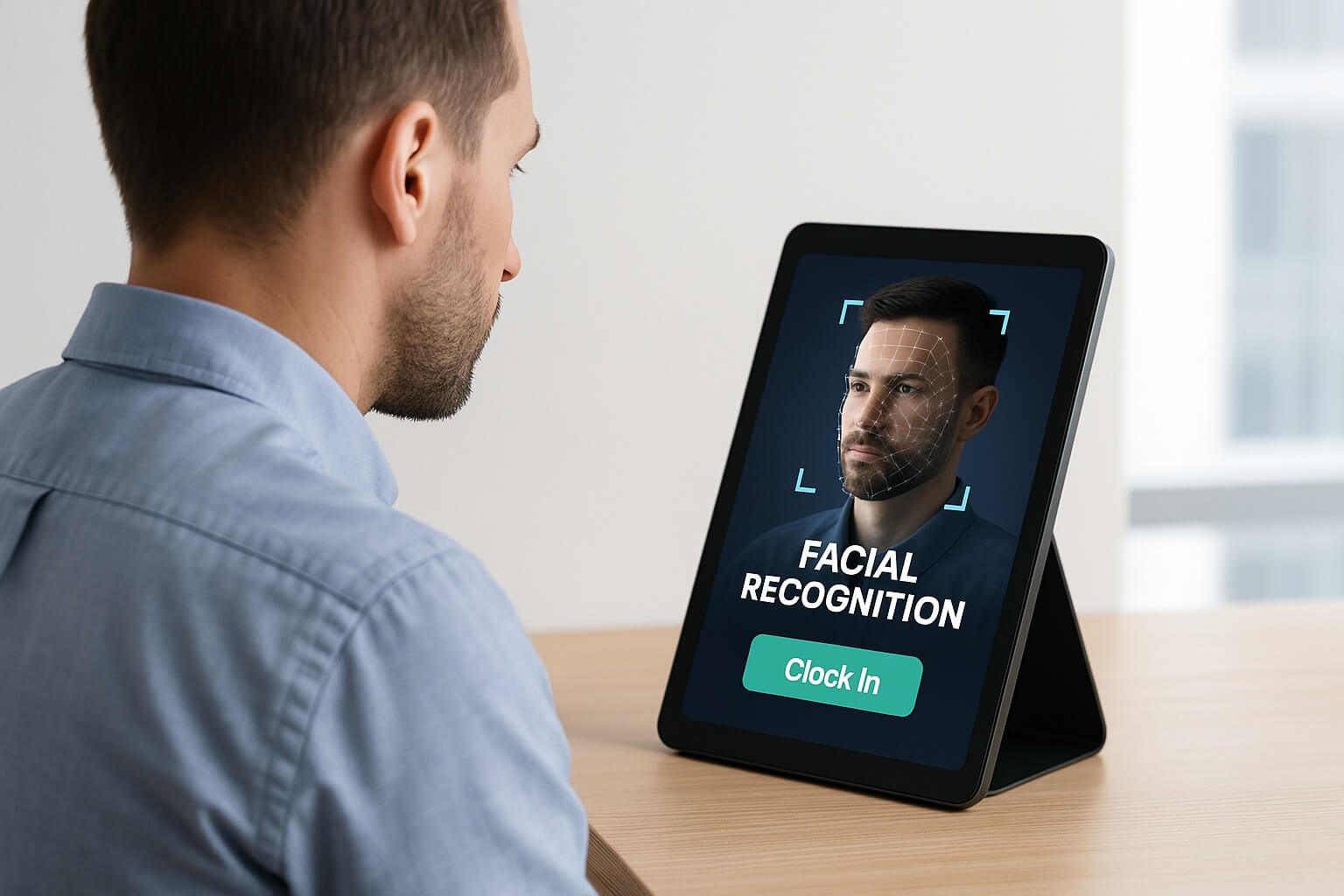
Finding the right time clock solution for Workday doesn’t have to be complicated or expensive. If you’re searching for an affordable, iPad-based time clock with facial recognition that integrates seamlessly with Workday, you’ve come to the right place. Organizations across the United States and Canada are discovering that they don’t need expensive proprietary hardware—a simple tablet can become a powerful, AI-driven time tracking system that eliminates buddy punching, automates compliance, and empowers employees with self-service capabilities.
The challenges with traditional time clocks are well-documented: buddy punching costs U.S. employers over $373 million annually, manual time tracking creates payroll errors that affect 1 in 4 employees, and outdated systems lack the flexibility modern workforces demand. Meanwhile, expensive biometric terminals can cost $2,000-$5,000 per unit, making them prohibitive for many organizations.
CloudApper AI TimeClock transforms any iPad or Android tablet into an intelligent Workday time clock with touchless facial recognition, powered by a collection of specialized AI agents that automate everything from shift management to compliance tracking. For a fraction of traditional time clock costs, you get enterprise-grade features including geofencing, a 24/7 AI HR assistant, PTO management, and seamless Workday integration—all accessible through devices you may already own.
In this comprehensive guide, we’ll explore everything you need to know about implementing facial recognition time clocks for Workday, the powerful AI agents that make CloudApper unique, and why thousands of organizations are choosing tablet-based solutions over expensive legacy systems.
Why Facial Recognition Time Clocks Are Essential for Workday Users
The Problem with Traditional Time Tracking
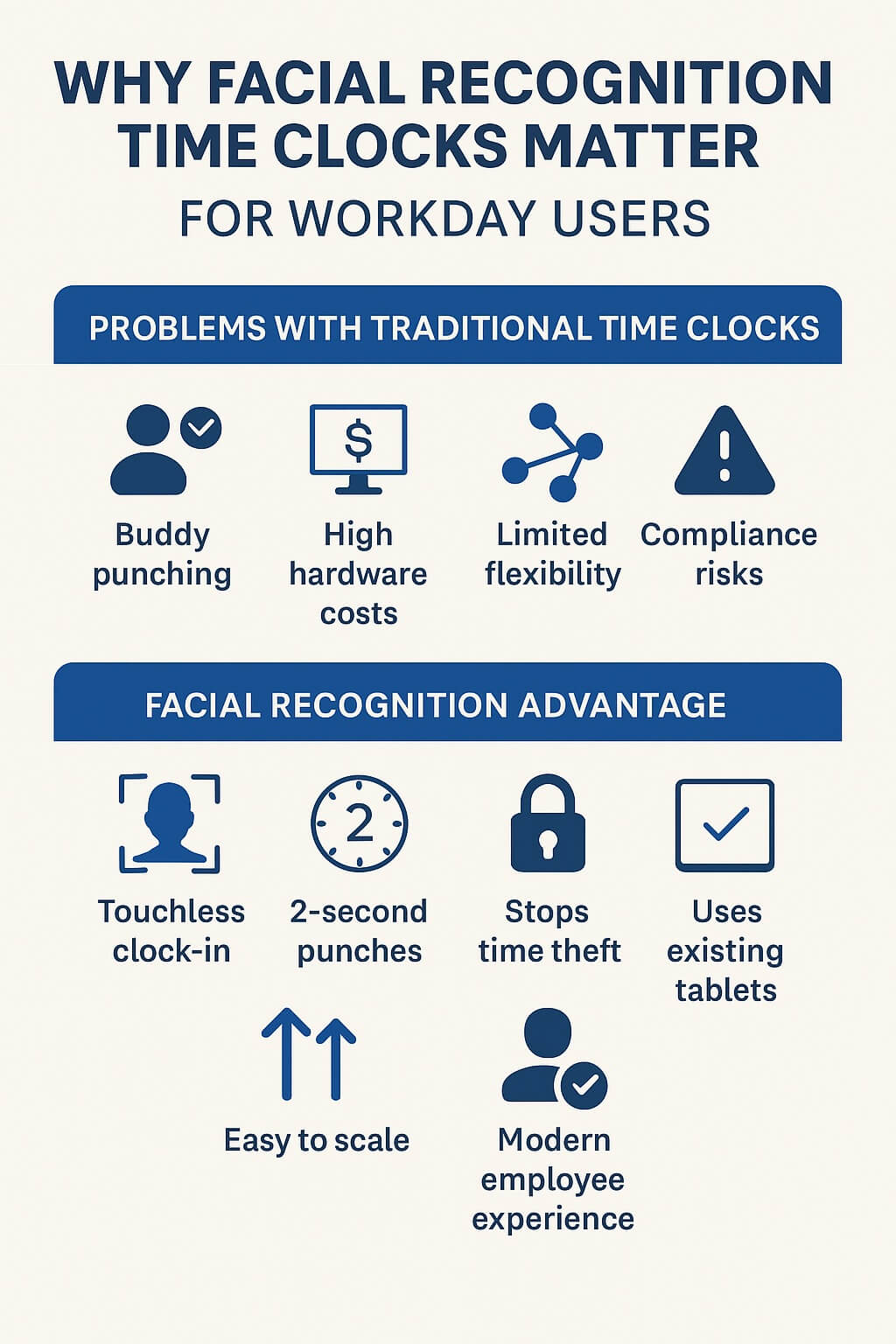
Traditional time clocks present several critical challenges for Workday users:
Buddy Punching & Time Theft: Badge-based and PIN systems are easily circumvented. The American Payroll Association estimates that 75% of businesses lose money to buddy punching, where one employee clocks in for another who’s late or absent.
Hardware Costs: Traditional biometric terminals cost $2,000-$5,000 per location, plus installation and maintenance. For multi-location businesses, these costs quickly become prohibitive.
Limited Flexibility: Fixed terminals can’t adapt to changing workforce needs—remote workers, mobile teams, and flexible schedules require more versatile solutions.
Poor Employee Experience: Long lines during shift changes, forgotten badges, and cumbersome processes frustrate employees and reduce productivity.
Compliance Risks: Manual tracking makes it difficult to enforce break policies, overtime rules, and labor law requirements, exposing organizations to costly violations.
The Facial Recognition Advantage
Facial recognition technology solves these problems while providing additional benefits:
- Touchless & Hygienic: No physical contact required—employees simply look at the camera
- Lightning Fast: Clock in/out in under 2 seconds, eliminating shift-change bottlenecks
- Fraud Prevention: Eliminates buddy punching with 99.9% accuracy
- Cost-Effective: Transform existing tablets into time clocks for 75% less than traditional systems
- Scalable: Add locations by simply deploying more tablets—no specialized hardware needed
- Modern Experience: Employees expect and appreciate advanced technology in the workplace
CloudApper AI TimeClock: The Super Efficient Employee Time Clock Solution
What sets CloudApper AI TimeClock apart from competitors isn’t just facial recognition—it’s the collection of specialized AI agents that automate and enhance every aspect of time tracking and workforce management. Think of it as having multiple AI-powered assistants working together to manage your entire timekeeping ecosystem.
The 8 AI Agents That Power CloudApper AI TimeClock
CloudApper AI TimeClock isn’t just one tool — it’s an orchestra of eight specialized AI agents working together in perfect harmony to eliminate time theft, automate compliance, reduce HR workload, and deliver flawless payroll data to your HCM system. Here’s how each agent transforms the way your organization captures and manages employee time.
1. Face ID Agent – Touchless, Fraud-Proof Authentication The Face ID Agent serves as the unbreakable gatekeeper against buddy punching and time theft. Using state-of-the-art facial recognition that functions in any lighting condition and even with masks or glasses, it identifies employees in under two seconds with 99.9% accuracy — completely touchless. All biometric templates are encrypted and stored in full compliance with privacy laws. One manufacturing customer in Ohio wiped out $47,000 in annual time theft within the first three months because employees could no longer have coworkers clock them in. For Workday users, every verified punch flows instantly and accurately into Workday timecards, eliminating manual corrections and payroll disputes.
2. Shift Bidding Agent – Let Employees Own Their Schedules Instead of HR chasing schedules, the Shift Bidding Agent empowers workers to browse open shifts, bid on the ones that suit them, and swap with coworkers (with manager approval). Automatic reminders and fair-allocation rules cut no-shows by as much as 40% while slashing administrative scheduling time by 60%. Every bid, swap, and confirmation syncs seamlessly with Workday schedules and manager approval workflows, ensuring full policy compliance without extra effort.
3. PTO & Overtime Agent – Zero-Touch Leave and OT Management Manual PTO tracking and overtime calculations are gone forever. Employees request time off right at the clock or mobile app, see real-time balances, and route requests automatically to the right approver. The agent calculates daily, weekly, double-time, and state-specific overtime rules in real time, sends alerts before thresholds are crossed, and notifies managers for pre-approval. A 2,000-employee retail chain cut unplanned overtime by 23% in the first year — saving over $400,000 — simply because managers finally had visibility and control.
4. Location Verification Agent – Know Exactly Who Is Where For mobile crews, field technicians, or multi-site operations, this agent combines geofencing, GPS, and Wi-Fi positioning with facial recognition to guarantee employees are physically at the correct job site before they can clock in. Construction companies ensure crews are on the right project, home-health agencies verify aides are at patient homes, and retail chains stop employees from punching in from the parking lot. Every punch carries an auditable location stamp for complete transparency.
5. AI HR Assistant Agent – A 24/7 HR Expert in Every Employee’s Pocket Imagine an always-on, multilingual HR representative that never sleeps. Employees simply ask, “How much PTO do I have?” “When’s my next shift?” or “How do I update my tax withholding?” and get accurate, personalized answers pulled live from Workday. The assistant can even process requests, explain pay stubs, and escalate complex issues to human HR. Organizations routinely see 40–50% fewer routine HR inquiries while dramatically improving employee satisfaction.
6. Self-Service Agent – Transparency That Ends Payroll Disputes Employees and managers gain instant mobile and kiosk access to timesheets, schedules, PTO balances, pay stubs, and policy acknowledgments. Workers can submit timecard corrections with notes, request PTO, or update personal information — all instantly reflected in Workday. One customer slashed payroll inquiries by 67% because employees could finally see exactly what everyone else saw. Managers approve requests, review coverage, and run labor reports without leaving the same intuitive interface.
7. HR & Payroll Sync Agent – The Invisible Bridge to Workday and Beyond This behind-the-scenes powerhouse delivers true real-time, bi-directional integration with Workday, and more than 50 other HCM and payroll platforms. Punches, schedules, employee updates, cost centers, and custom fields flow instantly and accurately. If internet drops, punches are stored locally and synced the moment connection returns — no data is ever lost. Validation rules and full audit trails keep everything clean and compliant.
8. Compliance Management Agent – Your Automated Labor-Law Shield Labor laws change constantly and violations are expensive. This agent proactively enforces meal and rest break rules, minor work restrictions, predictive scheduling ordinances, seventh-day premiums, and every overtime nuance — down to the city level. It prompts employees for required breaks, blocks premature clock-ins, tracks consecutive days worked, and generates audit-ready documentation. By catching issues before they become violations, the agent protects organizations from multimillion-dollar lawsuits and DOL penalties while removing compliance anxiety from managers’ daily lives.
Together, these eight intelligent agents turn a traditionally error-prone, administrative-heavy process into a fast, accurate, employee-friendly system that pays for itself in months through reduced labor costs, eliminated time theft, and complete regulatory peace of mind. Whether you run 50 employees or 50,000, CloudApper AI TimeClock delivers enterprise-grade automation without the enterprise complexity.
Why iPad/Tablet-Based Time Clocks Are Perfect for Workday Users
Cost Comparison: Traditional vs. Tablet Time Clocks
| Feature | Traditional Biometric Terminal | CloudApper AI TimeClock (iPad/Tablet) |
|---|---|---|
| Hardware Cost per Unit | $2,000 – $5,000 | $300 – $600 (standard iPad/tablet) |
| Installation Cost | $200 – $500 | Minimal (wall mount $50-150) |
| Monthly Software/Support | $50 – $150 per terminal | Included in subscription |
| Scalability | Expensive (new hardware each location) | Easy (just add tablets) |
| Flexibility | Fixed location only | Mobile options available |
| Feature Updates | Requires hardware replacement | Software updates automatic |
| Total First-Year Cost (10 locations) | $25,000 – $60,000 | $6,000 – $12,000 |
Savings: 75-80% vs. traditional biometric terminals
Additional Benefits of Tablet-Based Solutions
1. Modern, Familiar Interface Employees are already comfortable with tablets. The learning curve is minimal compared to proprietary systems with unusual interfaces.
2. Multi-Purpose Devices Unlike dedicated terminals, tablets can serve multiple functions:
- Time clock during shift changes
- HR information kiosk during the day
- Employee self-service portal
- Company announcements and communications
- Safety training and compliance modules
3. Easy Deployment & Updates
- No specialized technicians needed for installation
- Software updates happen automatically overnight
- New features roll out seamlessly without hardware changes
- Reconfigure policies through web admin portal
4. Enterprise-Grade Despite Consumer Hardware Don’t let the familiar iPad fool you—CloudApper AI TimeClock is built for enterprise use:
- Bank-level encryption for biometric data
- SOC 2 Type II certified security
- HIPAA-compliant configurations available
- 99.9% uptime SLA
- Dedicated support teams
5. Scalability for Growing Organizations Whether you have 50 employees or 50,000, tablet-based solutions scale effortlessly:
- Add locations without procurement delays
- Deploy internationally with the same hardware
- Support seasonal workforce ramps (retail, hospitality, agriculture)
- Mix fixed and mobile time clocks as needed
Real-World Success Stories: Organizations Thriving with CloudApper AI TimeClock
Case Study 1: Manufacturing Company Eliminates $150K in Time Theft
Challenge: A mid-size manufacturer with 800 employees across three shifts was losing significant money to buddy punching and early clock-ins. Badge-based system was easily circumvented.
Solution: Implemented CloudApper AI TimeClock with Face ID Agent at all punch locations.
Results:
- Eliminated buddy punching completely (verified through reduced anomalies)
- Early punch-ins dropped by 94% (saving 15 minutes per employee per week)
- Annual savings: $150,000 in prevented time theft
- ROI achieved in under 4 months
- Employee satisfaction increased (less time spent clocking in)
Case Study 2: Healthcare System Improves Compliance & Reduces HR Burden
Challenge: A healthcare system with 2,500 employees struggled with break compliance, overtime management, and high volume of employee inquiries to HR.
Solution: Deployed CloudApper AI TimeClock with Compliance Management Agent and AI HR Assistant Agent.
Results:
- Break violations reduced by 89%
- HR inquiry volume dropped 47%
- Overtime spend decreased 18% through better visibility and alerts
- Passed DOL audit with zero findings
- HR team redirected time to strategic initiatives
Case Study 3: Retail Chain Transforms Schedule Management
Challenge: 150-location retail chain spent excessive time managing schedules manually. High no-show rates during peak seasons.
Solution: Implemented Shift Bidding Agent and Self-Service Agent chain-wide.
Results:
- Schedule management time reduced by 62%
- No-show rates dropped from 12% to 4.5%
- Employee satisfaction scores increased 28 points
- Shift coverage improved during holidays and promotional events
- Annual labor cost savings: $320,000
Implementation Guide: Getting Started with CloudApper AI TimeClock for Workday
Getting started with CloudApper AI TimeClock for Workday is designed to be effortless and almost entirely managed for you by a dedicated CloudApper Solution Specialist.
The process kicks off with one or two short discovery calls where your specialist learns everything necessary: how many locations and employees you have, which Workday modules you’re using (Time Tracking, Absence Management, Payroll, etc.), and any unique policies around overtime, breaks, union rules, or local labor laws. You won’t be asked to fill out long forms or prepare technical documentation — we handle it all.
Next, your specialist takes over the entire configuration and integration. Working securely with your Workday administrator or IT team, we collect only the minimal credentials required to establish a real-time, bi-directional connection. From there, CloudApper builds and rigorously tests the integration in our environment. Employee master data — names, IDs, cost centers, pay rules, schedules, PTO balances, and custom fields — is automatically pulled from Workday and kept in continuous sync. All eight AI agents are tailored to your exact requirements, geofences are configured, compliance rules are programmed, shift-bidding workflows are set up, and the entire interface is branded to your company — all before you need to lift a finger.
Your employees have just one simple task: a one-time, 30-second face enrollment on their iPad or tablet. They look at the screen, the Face ID Agent captures and encrypts their biometric template, and they’re done forever — no badges, PINs, or fingerprints required. If you’d like to make it even faster, we can bulk-enroll most of the workforce ahead of time using existing Workday profile photos (with your approval), so the majority of your team is ready the moment the iPads and tablets are placed.
Go-live is completely on your terms: pilot with a single department, roll out location-by-location, or launch everywhere at once — many customers choose the full rollout because the iPad/tablet experience is so intuitive. Your CloudApper team manages the entire deployment, delivers quick 15–30-minute training sessions, provides ready-made employee communication templates, and remains on standby throughout launch day and beyond.
After go-live, you’ll enjoy ongoing white-glove support: a dedicated Customer Success Manager, 24/7 priority assistance, free configuration updates whenever policies change, and quarterly reviews that prove the ROI in hard dollars saved. Most Workday customers are fully live and seeing dramatic improvements in accuracy, compliance, and employee satisfaction within 2–4 weeks — without ever disrupting their existing Workday processes.
In short, you continue using Workday exactly as you do today; CloudApper AI TimeClock on iPad and tablet simply makes time capture faster, fraud-proof, compliant, and employee-friendly — and we handle virtually every step for you. Ready to experience the easiest Workday time-capture upgrade possible? Book your discovery call today and let us do the rest.
Frequently Asked Questions About CloudApper AI TimeClock for Workday
Is the facial recognition data secure and private?
Absolutely. CloudApper never stores actual photos. The moment an employee enrolls, their face is converted into an encrypted mathematical template (a unique string of numbers) that cannot be turned back into an image. These templates are protected with bank-grade AES-256 encryption in transit and at rest, hosted in SOC 2 Type II-certified data centers, and are fully compliant with GDPR, CCPA, and all major privacy regulations. Regular third-party security audits are performed, and employees can request to view or permanently delete their biometric data at any time.
What if employees are worried about privacy or “Big Brother” surveillance?
Most concerns disappear once people understand the facts. We provide ready-to-use communication templates and a simple one-page privacy notice that explains exactly what is collected (facial geometry only), how it’s protected (encrypted and never shared), and why it’s used (to stop time theft and ensure everyone gets paid accurately). Many employees actually prefer facial recognition over badges because no one can steal or borrow their face, and they control when the scan happens. Alternative clock-in methods (PIN, QR code, or NFC card) are always available for anyone who opts out.
Does facial recognition still work with masks, glasses, beards, or different lighting?
Yes — it works reliably in real-world conditions. CloudApper’s Face ID Agent recognizes employees in under 2 seconds even when wearing surgical masks, safety glasses, hats, or new facial hair. The system automatically adapts to aging, weight changes, hairstyles, and varying lighting. Recognition failure is extremely rare (well under 0.1 %), and if it ever happens, employees simply use their backup PIN or QR code.
What happens if the internet goes down?
Nothing — the system keeps working. Facial models are stored securely on the iPad/tablet itself, punches are saved locally with full time stamps, and everything automatically syncs to Workday the moment connectivity returns. There is zero data loss and zero disruption, making it ideal for warehouses, construction sites, hospitals, or any location with unreliable Wi-Fi.
How much does CloudApper AI TimeClock cost?
It’s a straightforward per-employee-per-month subscription that includes every AI agent, unlimited tablets, real-time Workday integration, 24/7 support, free updates, and complete hands-on implementation. There are no hidden fees, no per-device charges, and no extra costs for additional features. Hardware (standard iPads or Android tablets + optional mounts) is a separate, one-time expense. Most customers achieve full ROI in 3–6 months through eliminated time theft, reduced overtime, fewer payroll errors, and lower HR workload.
Can we start small instead of rolling out company-wide right away?
Definitely. Many organizations begin with a single department, one shift, or just a few locations as a pilot, then expand once they see the results. There is no minimum number of users or locations, and scaling up later is seamless — just add more tablets and employees whenever you’re ready.
Do we need special biometric hardware?
No. CloudApper runs on the iPads and Android tablets you already own or can purchase inexpensively. No proprietary clocks, no fingerprint scanners, and no expensive wall-mounted units required.
How long does it take to go live with Workday?
Most Workday customers are fully live and capturing accurate time in 2–4 weeks, with CloudApper specialists handling 95 % of the work. You keep using Workday exactly as you do today — we simply make it faster, smarter, and fraud-proof.
Why CloudApper AI TimeClock is the Right Choice for US & Canadian Organizations?
CloudApper AI TimeClock stands out as the ideal choice for U.S. and Canadian organizations because it is purpose-built for the complex, ever-changing labor landscape of North America. The platform comes pre-configured to handle every major compliance requirement on both sides of the border — from federal FLSA rules and state-specific overtime, meal-break, and predictive-scheduling ordinances in places like California, New York, Massachusetts, San Francisco, Seattle, and Oregon, to Canadian provincial employment standards in Ontario, British Columbia, Alberta, and beyond, including statutory holiday pay and vacation tracking. Minor labor laws, seventh-day premiums, prevailing wage rules, and union contract provisions are all enforced automatically, giving managers complete peace of mind and audit-ready documentation without manual intervention.
You’re never left dealing with offshore support or time-zone headaches. CloudApper provides U.S.-based customer success and technical teams available during North American business hours, with deep familiarity of regional payroll practices, collective bargaining agreements, and local regulations. All data stays in North American data centers to meet residency requirements, and the platform maintains tight partnerships with every major North American HCM provider — ensuring seamless, real-time integration with systems like Workday, UKG, ADP, Ceridian, and others.
No matter your industry, CloudApper adapts perfectly. Manufacturing sites get precise shift-differential and production-line tracking plus full union compliance. Healthcare organizations benefit from multi-facility support, on-call management, credential verification, and HIPAA-ready configurations. Retail and hospitality chains effortlessly handle seasonal workers, tip pooling, commission tracking, banquet staffing, and holiday premium pay. Construction firms receive job-costing allocation, prevailing-wage automation, certified payroll reports, and equipment time tracking — all flowing accurately into payroll and project accounting systems.
In short, CloudApper AI TimeClock isn’t a generic global solution retrofitted for North America — it’s engineered from the ground up to make U.S. and Canadian compliance simple, accurate, and automatic while delivering the industry-specific features that actually move the needle for your business.
The Future of Time Tracking: What’s Next for AI-Powered Solutions
CloudApper continues innovating with upcoming features:
Predictive Analytics:
- Forecast staffing needs based on historical data
- Predict which employees are at risk of overtime
- Identify attendance patterns indicating burnout
Voice-Activated Clocking:
- “Hey CloudApper, clock me in”
- Accessibility for employees with mobility challenges
- Hands-free operation for hygiene-sensitive environments
Enhanced AI Assistant Capabilities:
- Proactive suggestions (“You haven’t used any PTO this year—would you like to schedule some time off?”)
- Benefits guidance and enrollment assistance
- Personalized career development recommendations
Wearable Integration:
- Clock in/out from smartwatches
- Real-time location tracking for mobile workers
- Health and safety monitoring integration
Transform Your Workday Time Tracking Today
If you’re using Workday and searching for an affordable, modern time clock solution with facial recognition, CloudApper AI TimeClock delivers everything you need—and much more.
The value proposition is clear:
✅ 75% cost savings vs. traditional biometric terminals
✅ 8 specialized AI agents automating time tracking, compliance, and employee service
✅ Touchless facial recognition eliminating buddy punching and time theft
✅ Seamless Workday integration with real-time data sync
✅ iPad/Android tablet flexibility for easy deployment and scaling
✅ North American compliance built-in for US and Canadian labor laws
✅ Enterprise-grade security protecting employee privacy
✅ 24/7 AI HR assistant reducing HR burden by up to 50%
Whether you’re a 50-person business or a 50,000-employee enterprise, CloudApper AI TimeClock scales to meet your needs while delivering ROI in months, not years.
Ready to See It in Action?
Schedule Your Free Demo Today:
- See facial recognition accuracy in real-time
- Experience the AI agents in action
- Explore Workday integration capabilities
- Get customized pricing for your organization
- Talk with implementation specialists