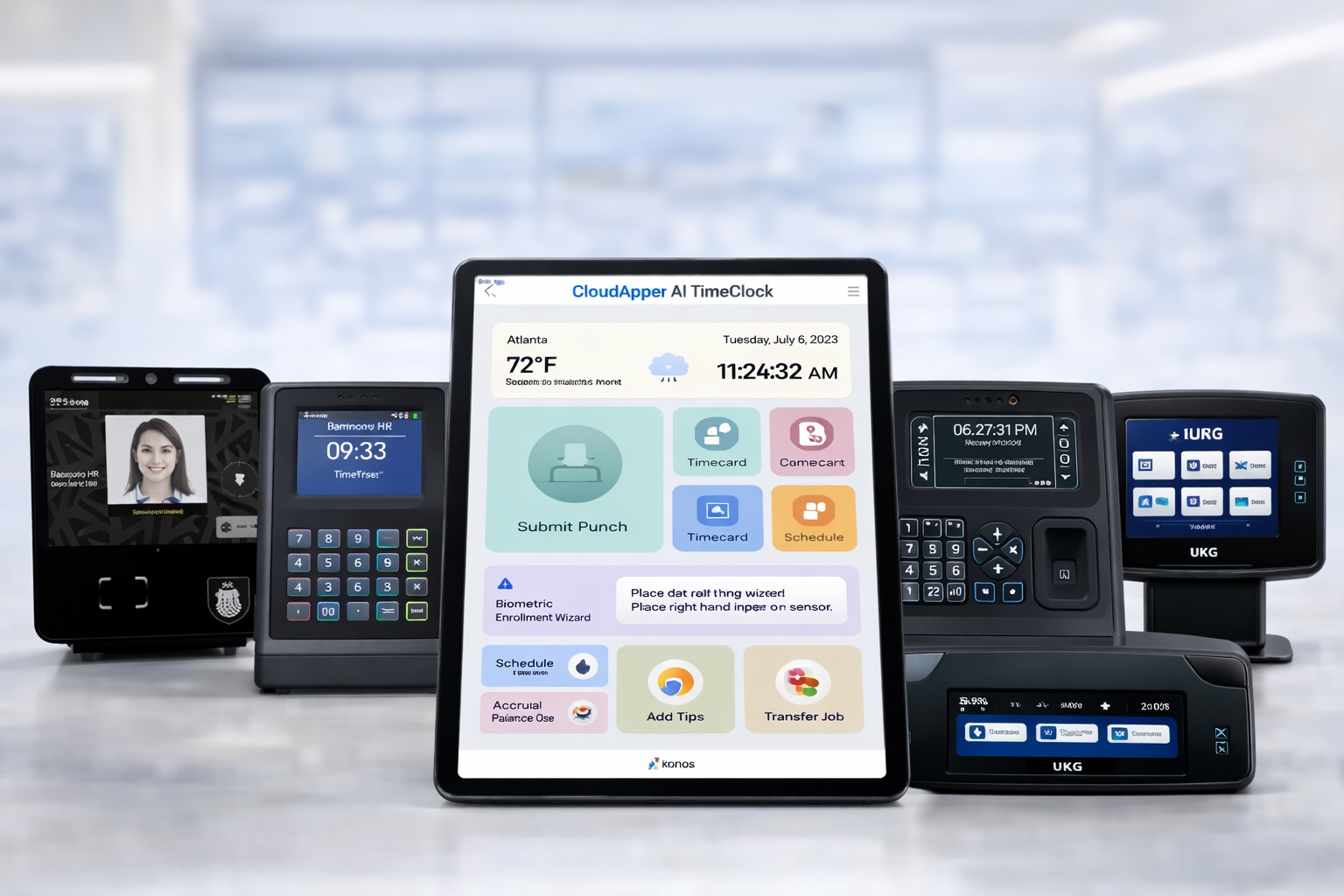
Selecting the right time clock solution is crucial for ensuring accurate time tracking, compliance, payroll efficiency, and employee satisfaction. UKG (formerly Kronos) is a leader in this space, offering a range of hardware and software options tailored to various business needs. However, with evolving technology, businesses often explore alternatives from other vendors or innovative add-ons to enhance flexibility and reduce costs.
This article explores UKG’s available time clock models, solutions from competing vendors, and highlights CloudApper AI TimeClock as a highly customizable, flexible, and affordable option that integrates seamlessly with UKG systems. Whether you’re in manufacturing, retail, healthcare, or another industry, understanding these options will help you choose the best fit for your organization.
Why Time Clocks Matter in Modern Workforce Management
Time clocks go beyond simple punch-ins; they prevent time theft, automate payroll data, enforce compliance with labor laws (like FLSA and overtime rules), and provide real-time insights into attendance trends. Hardware-based clocks offer durability for high-traffic environments, while software and app-based solutions provide mobility for remote or field teams. Key factors to consider include integration with your HCM system, biometric security, offline capabilities, customization, and cost.
UKG excels in integrated solutions that sync with their Pro, Ready, and Pro WFM platforms, but other vendors bring unique strengths in affordability, ease of use, or specialized features.
UKG’s Time Clock Models: A Comprehensive Overview
UKG offers a lineup of hardware time clocks designed for reliability and integration with their workforce management software. These models vary in features, from basic fingerprint scanning to advanced touch-free biometrics, making them suitable for diverse environments like warehouses, offices, or retail floors.
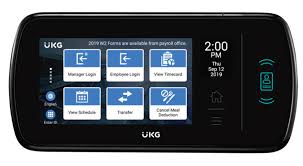
1. UKG InTouch DX
The flagship model, InTouch DX, is built for the modern workforce with a sleek, consumer-electronics-inspired design. It features a 7-inch capacitive touchscreen with wide VGA full-color LCD, rugged polycarbonate/ABS enclosure, and options for integrated readers (barcode, magnetic stripe, HID proximity, or contactless smart cards).
Key Features:
- UKG TouchFree ID for facial recognition, enabling touch-free clock-ins.
- Fingerprint biometrics (optional) to prevent buddy punching.
- Personalization with real-time notifications, schedule views, and time-off requests.
- Connectivity via Ethernet (10/100 Mbps) or optional Wi-Fi (802.11 b/g/n).
- Offline functionality and mobile accessibility.
- Integrated speaker, microphone, and multicolor LED indicators.
Pros: Hygienic and fast for high-volume use; enhances employee experience with intuitive interfaces; seamless UKG integration for accurate data sync. Cons: Higher upfront cost; may require IT setup for advanced features. Target Use Cases: Healthcare or food service for touchless hygiene; large enterprises needing robust analytics and compliance tools. Price Range: Typically $1,000–$2,000 per unit, depending on configurations.
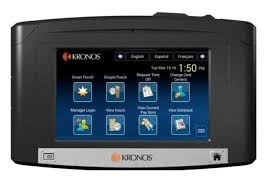
2. UKG InTouch 9100
A mid-range option, the InTouch 9100 balances functionality and flexibility. It supports fingerprint scanning and PIN entry, with a web-based interface for easy configuration.
Key Features:
- Biometric fingerprint and PIN authentication.
- Ethernet or Wi-Fi connectivity for versatile placement.
- Basic attendance reporting and data export.
- Rugged build for various environments.
- Integration with UKG software for real-time punches and schedules.
Pros: Wireless options reduce installation constraints; reliable for basic needs; cost-effective compared to DX. Cons: Lacks advanced AI or touch-free features; manual data entry for some reports. Target Use Cases: Retail or manufacturing with moderate traffic; businesses prioritizing ease of management over cutting-edge tech. Price Range: Around $800–$1,200.
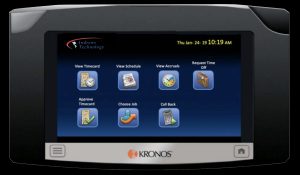
3. UKG InTouch 9000
This model focuses on essential timekeeping with a no-frills approach, ideal for budget-conscious setups.
Key Features:
- Fingerprint scanning for secure identification.
- Wired Ethernet connectivity.
- Basic punch-in/out and time tracking.
- Durable design for industrial use.
Pros: Affordable entry point; straightforward operation. Cons: Limited to wired setups; outdated interface without mobile or touch-free options. Target Use Cases: Small warehouses or fixed-location offices needing simple, reliable hardware. Price Range: $500–$900.
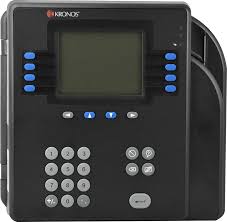
4. UKG Kronos 4500 (Legacy Model)
An older but still supported model (phasing out in some systems by 2025), the 4500 is a biometric terminal with touch-screen navigation.
Key Features:
- Badge ID entry with optional fingerprint scanning.
- Manager/supervisor modes for overrides and reports.
- Timeouts for security (e.g., 1–1200 seconds inactivity).
- Basic transactions like viewing accruals or requesting time off.
Pros: Proven reliability; cost-effective for legacy UKG setups. Cons: Lacks modern biometrics like facial recognition; no wireless or offline advanced features. Target Use Cases: Businesses with existing Kronos Workforce Central; transitioning to newer UKG systems. Price Range: $300–$600 (often available used or refurbished).
UKG also offers software-based solutions like mobile apps with geofencing and NFC clocking, which can complement these hardware models for hybrid workforces.
Time Clock Solutions from Other Vendors
While UKG dominates with integrated hardware, other vendors provide competitive alternatives, often focusing on software-driven or hybrid approaches. These can be standalone or integrate with popular HCM systems like ADP or Paychex.
ADP Time Clocks
ADP offers hardware and app-based options that emphasize security and flexibility.
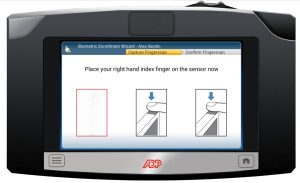
- ADP Kiosk: Mounted device with facial recognition, fingerprint scanning, and always-on connectivity. Built for ADP products, it supports real-time data transfer.
- ADP Time Kiosk App: Turns any tablet (iPad/Android) into a time clock, with biometric logins.
Key Strengths: Seamless payroll integration; touch-free options. Ideal for multinational businesses. Price: Kiosk hardware $500–$1,000; app-based plans start at $10/user/month.
Paychex Time Clocks
Paychex provides biometric-heavy hardware for accuracy and compliance.
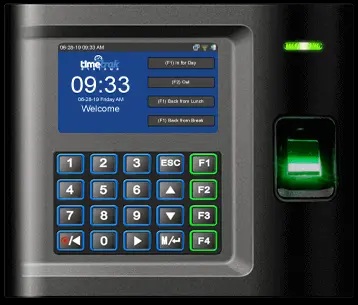
- Biometric Time Clocks: Include iris scanning, facial verification, fingerprint, proximity badges, and PIN. Mobile and desktop options available.
- Kiosk App: Facial recognition for shared devices.
Key Strengths: Prevents time cheating; multiple punch methods; strong for small to mid-sized businesses with benefits administration needs. Price: Hardware $400–$800; software from $5/user/month.
BambooHR Time Tracking
More software-focused, BambooHR integrates time clocks via apps rather than proprietary hardware.
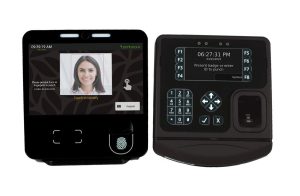
- Features: Mobile/web clock-ins, geofencing, PTO tracking. Integrates with payroll like QuickBooks or Gusto.
- Key Strengths: User-friendly for SMBs; no hardware lock-in. Price: Starts at $6/user/month.
Other Notable Vendors
- QuickBooks Time: App-based with GPS tracking; great for field teams. Integrates with QuickBooks payroll. Price: $20/month + $8/user.
- Connecteam: Mobile-first for deskless workers; includes scheduling and communication. Price: Free for basics, $29/month for advanced.
- Buddy Punch: Facial recognition app; prevents buddy punching. Price: $19/month + $3/user.
- Traditional Hardware Vendors: Lathem (e.g., 7000E series with ribbons, $200–$400), Amano (biometric clocks, $300–$600), Acroprint (basic punch clocks, $100–$300).
These alternatives often shine in affordability and mobility but may require additional integrations for UKG users.
CloudApper AI TimeClock: The Customizable, Flexible, and Affordable Option
For UKG users seeking to enhance or replace hardware without breaking the bank, CloudApper AI TimeClock stands out as a top choice. As a proud UKG partner, it transforms any iOS or Android tablet into an AI-powered time clock, offering native integration with UKG Ready and Pro WFM for seamless data sync.
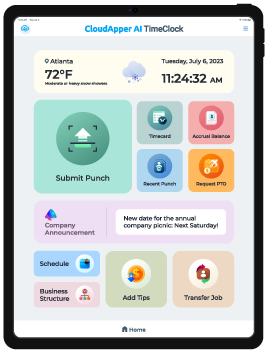
Key Features:
- Time Capture Methods: Face ID, QR code, barcode, NFC; supports job transfers, tip recording, and offline mode with auto-sync.
- Self-Service Tools: View schedules, request PTO, swap shifts, check accruals and paystubs.
- AI Enhancements: 24/7 HR assistant for queries; automated workflows like PTO calculations and attestations.
- Data and Compliance: Geofencing, custom questionnaires, real-time alerts, and audit logs for FLSA/GDPR/HIPAA compliance.
Customization and Flexibility: Highly adaptable with no-code configurations for workflows, forms, branding, and rules (e.g., union agreements, meal penalties). Runs on tablets, mobiles, web, or desktops; supports multi-location setups and remote workers.
Affordability: Priced at just 25% of traditional UKG hardware costs (e.g., vs. InTouch DX), with no extra fees for biometrics or unlimited users. Reduces overall expenses by 80% using off-the-shelf devices.
Why Choose It? It’s ideal for businesses facing hardware phase-outs (like Kronos 4500) or needing scalable, cost-effective upgrades. Users report enhanced productivity, reduced time theft, and better employee engagement.
Learn more at CloudApper AI TimeClock.
Comparing Options: How to Choose the Right Time Clock
| Feature/Model | UKG InTouch DX | UKG InTouch 9100 | ADP Kiosk | Paychex Biometric | CloudApper AI TimeClock |
|---|---|---|---|---|---|
| Biometrics | Facial, Fingerprint | Fingerprint, PIN | Facial, Fingerprint | Iris, Facial, Fingerprint | Facial, QR/NFC |
| Connectivity | Ethernet/WiFi | Ethernet/WiFi | Always-on | Multiple Devices | Offline/Online Sync |
| Customization | Moderate | Basic | Limited | Moderate | High (No-Code) |
| Cost | High | Medium | Medium | Medium | Low (25% of UKG) |
| Integration | UKG Native | UKG Native | ADP Native | Paychex Native | UKG Native |
| Best For | Modern Enterprises | Flexible SMBs | Payroll-Focused | Compliance-Heavy | Affordable UKG Enhancements |
Consider your budget, workforce size, industry needs, and integration requirements. For UKG loyalists, start with InTouch DX for premium features. If cost is a barrier, CloudApper offers the best value without sacrificing functionality.
Finding Your Perfect Fit
UKG’s time clock models provide a solid foundation for accurate workforce management, but exploring alternatives from ADP, Paychex, and others—or enhancing with CloudApper AI TimeClock—can deliver greater flexibility and savings. CloudApper, in particular, excels as a customizable, affordable option that builds on UKG’s strengths while addressing common pain points like high hardware costs and limited adaptability.
Assess your needs, test demos, and consult with vendors to ensure compliance and ROI. The right time clock isn’t just about tracking hours—it’s about empowering your team and streamlining operations for long-term success.
One thought on “UKG Time Clock Models: Which One is Right for You?”