Growing from 100 to 200 employees across multiple states is an exciting milestone for any company. But with this growth comes a challenging reality: your current payroll and HR system probably can’t keep up anymore.
If you started with a simple solution that worked fine when you had 30 employees in one state, you’re likely experiencing frustrating limitations now. Maybe you’re struggling to manage different accrual policies for different locations. Perhaps tracking employees across ten states feels impossible. Or you might be spending hours on tasks that should be automated.
You’re not alone. Thousands of companies face this exact situation every year, and the solution isn’t always obvious. Let’s walk through how to choose the right Human Resources Information System (HRIS) and payroll platform for your growing multistate business.
Why Companies Outgrow Their Starter HR Systems
Starter HR and payroll systems are designed for simplicity. They work great when your needs are straightforward: one location, basic benefits, simple time tracking, and uncomplicated payroll. But as your company grows across state lines and your workforce becomes more complex, these systems start to crack under pressure.
Here’s what typically happens:
Limited Complexity Handling: Basic systems struggle with subsidiary entities, multiple cost centers, varied accrual policies, and complex onboarding workflows. You find yourself using workarounds that take more time than they save.
Inadequate Support: When you need help, you’re directed to chatbots, help articles, or overseas support teams who respond the next day. For urgent payroll issues or compliance questions, this delay can be costly and frustrating.
Missing Integrations: As you grow, you need connections to background screening services, benefits providers, applicant tracking systems, and other tools. Limited integration options force you to manually move data between systems.
Multistate Complications: Each state has different tax rules, labor laws, and compliance requirements. Systems built for simple, single-state operations can’t handle this complexity efficiently.
Scalability Issues: What worked for 50 employees becomes painfully slow or cumbersome at 150 employees. You realize the system won’t support your growth to 300 or 500 employees without major problems.
What Makes a Good HRIS for Midsize, Multistate Companies
When you’re managing 100-200 employees across ten or more states, you need a system that can handle real complexity without requiring a dedicated IT team. Here are the essential features to look for:
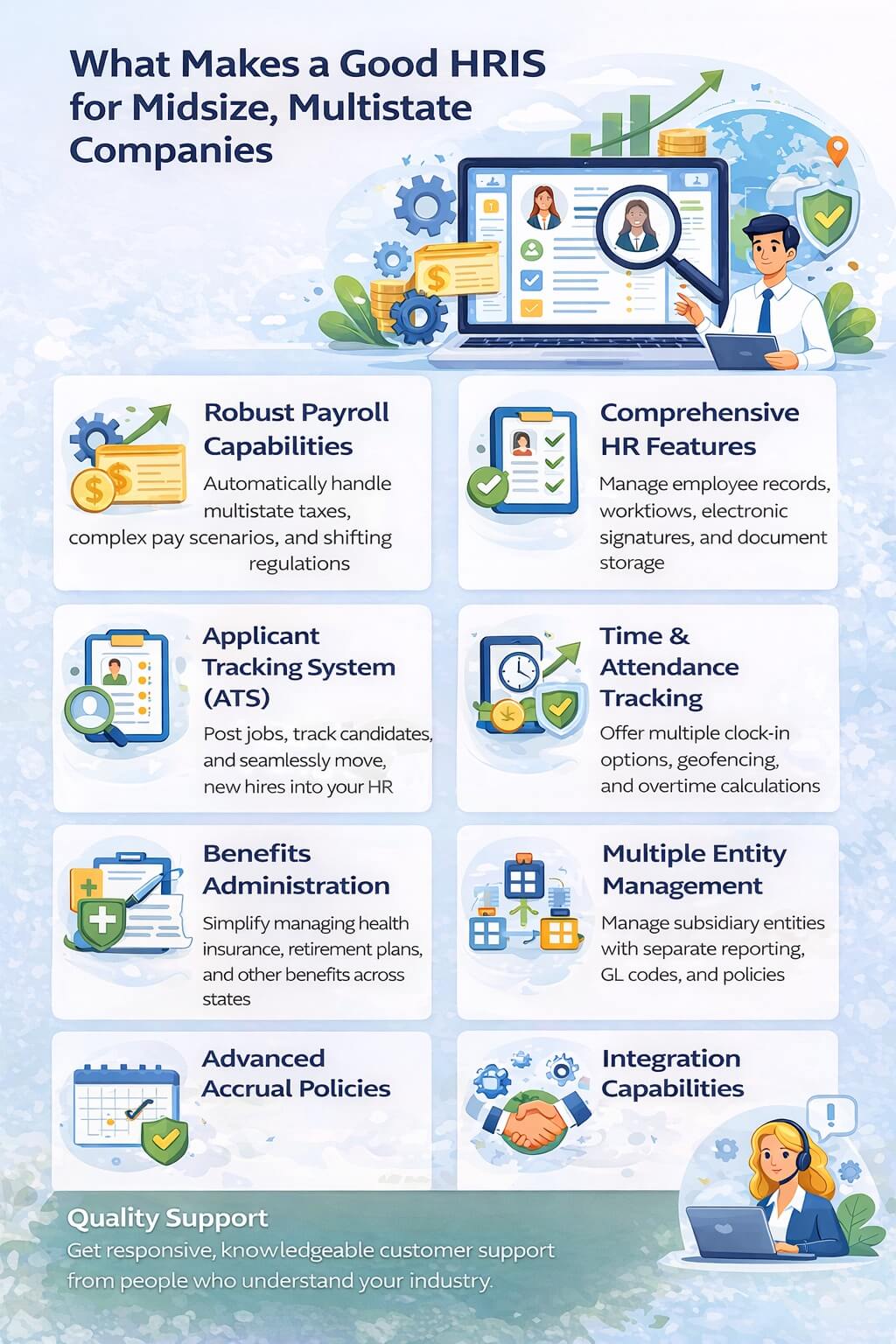
Robust Payroll Capabilities
Your payroll system needs to handle multistate complexity automatically. This means calculating different state taxes correctly, managing various local jurisdictions, and staying current with changing regulations. Look for systems that automatically update tax tables and compliance rules so you don’t have to worry about staying current.
The system should also handle complex pay scenarios like multiple pay rates, shift differentials, bonuses, commissions, and various deduction types. If you have employees who work in multiple states, the system should handle the taxation correctly without manual intervention.
Comprehensive HR Features
Beyond payroll, you need full HR functionality including employee records management, document storage, electronic signatures, and workflows for common HR processes. The ability to create custom workflows for onboarding, offboarding, and other routine processes saves enormous amounts of time.
Applicant Tracking System (ATS)
When you’re growing rapidly, recruiting becomes a major focus. An integrated ATS lets you post jobs, track candidates, communicate with applicants, and move people through your hiring process smoothly. Having this built into your HRIS means new hires flow directly into your HR system without re-entering information.
Time and Attendance Tracking
Accurate time tracking prevents payroll errors and helps you understand labor costs. Look for systems with multiple clock-in options (mobile apps, web-based, physical time clocks), geofencing for remote workers, and automated overtime calculations.
Benefits Administration
Managing health insurance, retirement plans, and other benefits across multiple states gets complicated quickly. Your HRIS should simplify open enrollment, track eligibility, manage beneficiary information, and integrate with insurance carriers.
Multiple Entity Management
If you operate subsidiary entities for different business units or locations, your system needs to handle separate entities while still giving you consolidated reporting. This includes separate cost centers, different GL codes, and entity-specific accrual policies.
Advanced Accrual Policies
Different states have different paid leave requirements. Different roles might earn PTO at different rates. Your system should accommodate multiple, customizable accrual policies without forcing everyone into the same bucket.
Integration Capabilities
Your HRIS should connect with background screening providers, accounting systems, benefits brokers, and other third-party services you use. These integrations eliminate double data entry and reduce errors.
Quality Support
This is where many companies get burned. Great support means getting real people who know your account, understand your industry, and can solve problems quickly. When payroll is at stake, waiting 24 hours for a response isn’t acceptable.
Understanding HRIS Complexity Levels
Think of HRIS systems on a complexity scale from 1 to 5:
Level 1-2: Basic systems handle simple payroll and elementary HR functions. Good for very small businesses with straightforward needs.
Level 3: Mid-tier systems offer more features and can handle some complexity but may struggle with advanced scenarios or rapid growth.
Level 4: Robust systems handle significant complexity including multistate operations, multiple entities, varied policies, and sophisticated workflows.
Level 5: Enterprise systems designed for very large companies with thousands of employees, global operations, and maximum complexity.
Most growing companies with 100-200 multistate employees need a Level 4 system. They’ve outgrown Level 2 but don’t need the cost and complexity of Level 5 enterprise solutions.
Popular HRIS Options for Midsize Companies
Let’s explore systems that commonly appear on shortlists for companies in your situation:
Mid-Tier All-in-One Platforms
Several platforms position themselves as comprehensive solutions for growing companies. They typically offer payroll, HRIS, ATS, time tracking, benefits administration, and performance management in one package.
These systems generally handle multistate payroll well, offer decent integrations, and provide more features than starter platforms. The quality of implementation and ongoing support varies significantly between providers, so this becomes a critical evaluation factor.
Specialized HR Platforms
Some companies choose to use different systems for different functions. For example, they might use one platform for payroll and benefits, another for recruiting, and a third for performance management. This “best of breed” approach can work but requires more integration management.
Key Considerations for Your Shortlist
When evaluating options, pay special attention to these factors:
Implementation Quality: How long does implementation take? What support do you get during the transition? How many implementations has the provider done with companies like yours?
True Support Model: How does support actually work? Can you call and speak to someone who knows your account? Or are you routed through AI chatbots and help articles?
User Experience: Will your managers and employees actually use the self-service features? Or is the interface so clunky that HR ends up doing everything?
Pricing Transparency: Some providers hide pricing behind sales calls and negotiations. Others offer clear, straightforward pricing. Neither approach is wrong, but know what you’re getting into.
Scalability: Can this system support you at 500 employees? What about if you expand internationally? Understanding the system’s limits helps you avoid another transition soon.
Common Pitfalls When Choosing an HRIS
Companies often make these mistakes during the selection process:
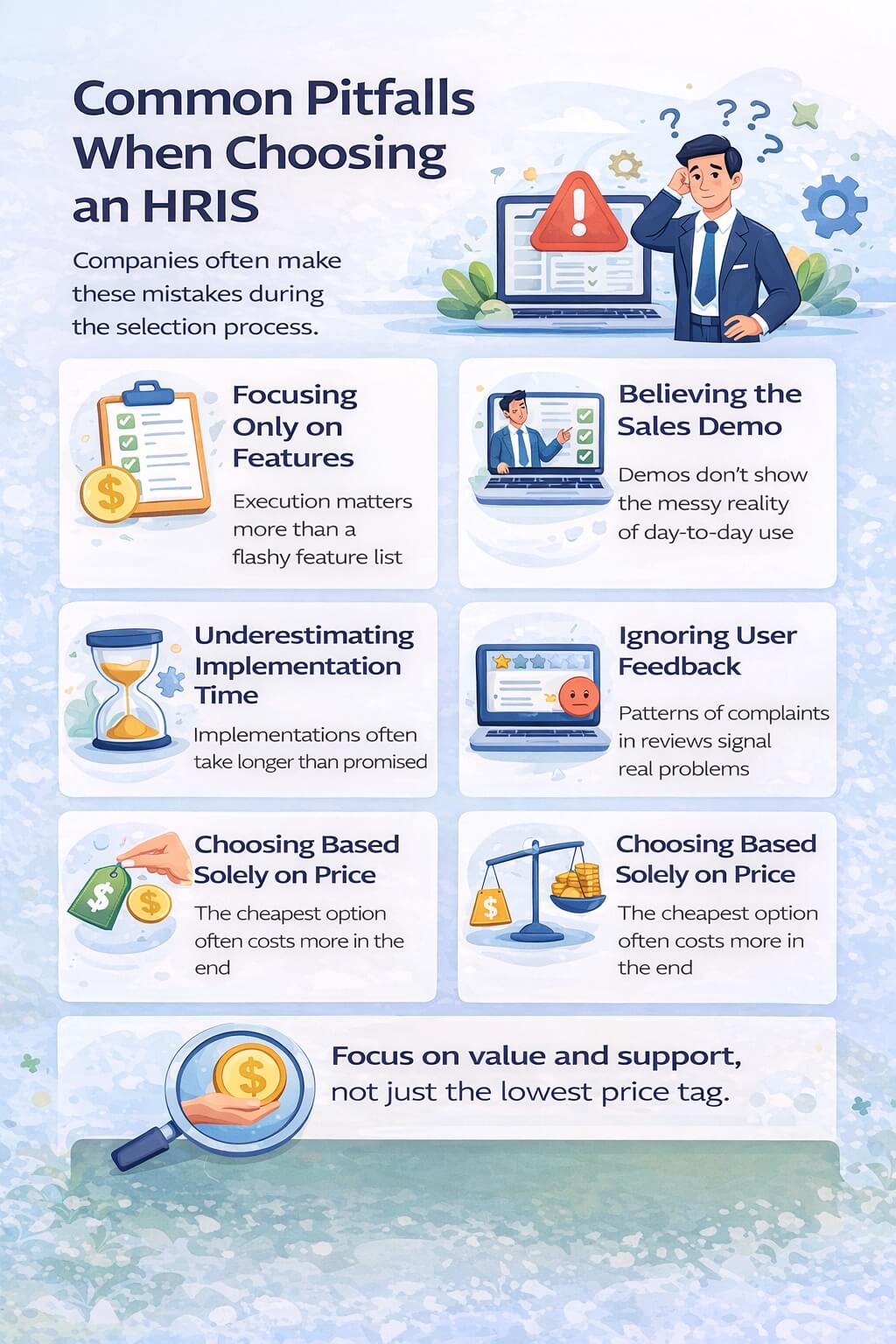
Focusing Only on Features
A system with an impressive feature list doesn’t help if implementation takes six months, the interface confuses everyone, or support is non-existent. Features matter, but execution matters more.
Believing the Sales Demo
Sales demonstrations show the system working perfectly with clean data and ideal scenarios. Real life involves messy data, edge cases, and situations the demo never addresses. Ask detailed questions about how the system handles your specific complexity.
Underestimating Implementation Time
Some providers promise quick implementations but deliver long, painful processes. Others genuinely have streamlined setups. Get specific timelines and references from similar companies.
Ignoring User Feedback
If current customers consistently complain about certain issues in reviews, believe them. No system is perfect, but patterns of complaints reveal real problems.
Choosing Based Solely on Price
The cheapest option often costs more in the long run through lost productivity, compliance issues, and eventual replacement costs. Focus on value and total cost of ownership rather than the lowest price tag.
Questions to Ask During the Evaluation Process
Here are specific questions that help reveal how well a system will actually work for you:
About Multistate Payroll:
- How do you handle employees who work in multiple states?
- How quickly do you update for new tax law changes?
- Can you support our specific state combinations?
- What happens if there’s a payroll error?
About Support:
- Who do I actually talk to when I have a question?
- What are your support hours?
- How quickly do you respond to urgent issues?
- Do I get a dedicated support person or account manager?
- Can I see example support response times from current customers?
About Implementation:
- What’s the typical implementation timeline for companies our size?
- What data do you need from us?
- Who handles data migration?
- What training do you provide?
- Can I talk to a company that recently implemented?
About Complexity:
- Can you handle our subsidiary entities?
- How do you manage multiple accrual policies?
- Can we create custom workflows?
- How flexible is the system for our specific needs?
- What happens when we outgrow certain limits?
About Integration:
- Which systems do you integrate with natively?
- How difficult are custom integrations?
- Do integrations cost extra?
- How reliable are the integrations?
- What happens when integrated systems are updated?
Making the Transition
Once you’ve chosen your new HRIS, the transition process matters enormously. Here’s what to expect and how to prepare:
Planning Phase
Work with your implementation team to create a detailed project plan. Identify who needs to be involved from your company, establish clear timelines, and set expectations for communication.
Data Preparation
Clean up your current employee data before migration. Inconsistent job titles, incorrect addresses, missing information, and other data problems become much more visible in a new system. Fix issues before migrating rather than after.
Testing
Don’t skip thorough testing before going live. Run parallel payroll to ensure accuracy. Test all workflows and integrations. Have employees test the self-service features. Finding problems before launch saves massive headaches.
Training
Everyone who interacts with the system needs appropriate training. This includes HR staff, managers who approve time and requests, payroll administrators, and employees using self-service features. Good training prevents support calls and mistakes.
Go-Live Support
The first few payroll cycles in a new system are critical. Make sure you have extra support available during this period. Many implementations succeed or fail based on how well the first month goes.
Red Flags to Watch For
Certain warning signs should make you pause or reconsider:
Vague Answers: If a vendor can’t give you straight answers about how they handle your specific situations, they may not actually support what you need.
Promises That Sound Too Good: Implementations that seem unrealistically fast, pricing that’s much lower than competitors with similar features, or claims that everything is easy might indicate problems ahead.
Poor Reviews About Specific Issues: If you see consistent complaints about poor support, hidden fees, difficult implementation, or system problems, take these seriously.
Pressure to Sign Quickly: High-pressure sales tactics often indicate companies that struggle with retention. Good providers don’t need to pressure because their customers are happy.
Lack of References: If a provider can’t connect you with satisfied customers in similar situations, there’s probably a reason.
Budget Considerations
HRIS pricing typically works on a per-employee per-month (PEPM) model, though structures vary. For a company with 100-200 employees, expect to pay:
Basic Systems: $8-15 PEPM for simple platforms with limited features Mid-Tier Systems: $15-30 PEPM for comprehensive platforms with good features Premium Systems: $30-50+ PEPM for systems with extensive features and superior support
Remember that pricing often depends on which modules you choose. A basic HRIS with payroll might cost less than a full suite including ATS, performance management, and advanced analytics.
Also consider implementation costs, which can range from free to several thousand dollars depending on complexity. Some providers include implementation in monthly pricing; others charge separately.
The Support Quality Question
Since you mentioned that support quality is crucial, let’s dig deeper into how to evaluate this:
Test the Support Before Buying: Call or email their support line with a question. How quickly do they respond? Is the person knowledgeable? Can they help without reading from scripts?
Ask Current Customers: References will tell you honestly about support quality. Ask specifically about support response times, knowledge level, and problem resolution.
Understand the Support Structure: Some providers offer dedicated account managers. Others use tiered support where you talk to different people each time. Neither is inherently wrong, but know which you’re getting.
Check Support Hours: If you process payroll on Fridays, make sure support is available then. Some providers offer 24/7 support; others have limited hours.
Review Support Options: Can you call, email, chat, or submit tickets? Having multiple contact methods matters when you need help urgently.
Industry-Specific Considerations
Different industries have unique needs:
Professional Services: Need sophisticated project tracking, billable hours, and client allocation.
Healthcare: Require credential tracking, multiple shift differentials, and complex scheduling.
Retail: Need flexible scheduling, high employee turnover support, and multiple location management.
Manufacturing: Require shop floor time tracking, safety training tracking, and shift premium calculations.
Non-Profit: Need fund accounting, grant tracking, and specialized reporting.
Make sure any system you consider has experience in your industry and can handle your specific requirements.
Timeline for Selection and Implementation
Plan for a realistic timeline:
Weeks 1-2: Assess your current situation and define requirements Weeks 3-6: Research options and conduct initial vendor conversations Weeks 7-10: Deep evaluation including demos, references, and detailed discussions Weeks 11-12: Final selection and contract negotiation Weeks 13-24: Implementation (timing varies dramatically by provider)
This means the entire process from starting your search to going live can take 4-6 months or longer. Start early if you’re approaching year-end or other critical deadlines.
Making Your Decision
With all this information, how do you actually decide? Consider creating a scorecard that weights factors based on your priorities:
If support quality is most important to you, weight that heavily. If cost is the primary concern, adjust accordingly. If ease of use matters most, factor that in.
Talk to your team about what’s most important. Payroll administrators, HR staff, managers, and executives may have different priorities. Understanding these helps you make a decision that works for everyone.
Don’t rush. A bad HRIS decision costs you far more than delaying by a few weeks to make sure you’re choosing correctly.
Looking Ahead
Remember that your HRIS choice today should support you for at least 3-5 years. Think about where your company will be during that time:
- Will you expand to more states?
- Are international employees possible?
- Will you grow to 500+ employees?
- Might you need more sophisticated reporting and analytics?
- Could you need additional modules like learning management or advanced performance tools?
Choosing a system that can grow with you prevents another painful transition soon.
Outgrowing your starter HR system is a natural part of business growth. The key is recognizing when it’s time to upgrade and choosing wisely for your next phase.
Look for systems that genuinely handle complexity at Level 4, not ones that claim to but actually operate at Level 2-3. Prioritize quality support since you’ll be relying on this system for critical business functions. Choose providers with strong track records implementing for companies in your situation.
Take time to evaluate thoroughly, test properly, and implement carefully. Your HRIS touches every employee and affects crucial functions like payroll and benefits. Getting this decision right matters enormously for your business success.
The perfect system for your specific needs exists. It’s out there among the dozens of options available. By being thoughtful about your requirements, asking the right questions, and carefully evaluating your options, you can find the HRIS that will support your company through this exciting growth phase.