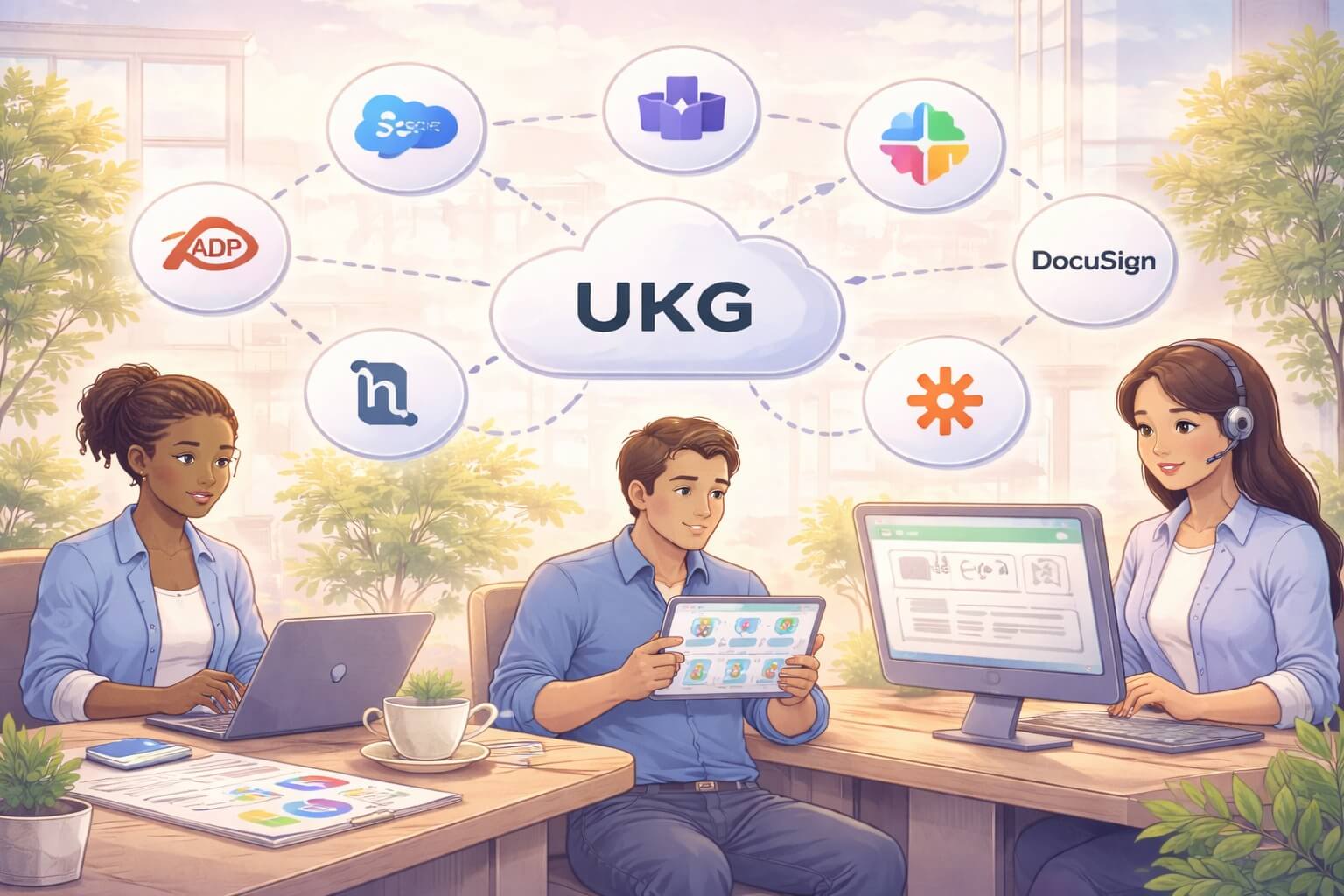
Why UKG Integration Matters More Than Ever
Your UKG system holds incredibly valuable data about your people, payroll, time, and workforce. But here’s the challenge: that data doesn’t live in isolation. Your business relies on dozens of other systems for recruiting, benefits, learning, accounting, identity management, and more.
When these systems don’t talk to each other, your HR team wastes hours on manual data entry. Errors multiply. Compliance risks grow. Employee experience suffers. According to research, integration with existing systems is the biggest challenge cited by 50% of HR leaders implementing new technology.
The good news? UKG Pro, UKG Ready, and UKG Pro WFM are built with integration in mind. With the right connections, you can eliminate data silos, automate workflows, and turn your UKG platform into the single source of truth for your entire organization.
This article explores the top 10 UKG integrations that modern businesses need, and how CloudApper iPaaS makes connecting these systems effortless.
The Real Cost of Disconnected HR Systems
Before we dive into specific integrations, let’s talk about what happens when your systems don’t connect properly.
Research shows that HR professionals spend nearly 30% of their time on manual data entry and benefits administration. That’s more than 12 hours per week entering the same information into multiple systems, checking for discrepancies, and fixing errors.
The problems go deeper than wasted time. Disconnected systems create data silos where critical information gets trapped. Your payroll system has different employee addresses than your benefits platform. Your time tracking shows different department codes than your financial system. Your recruiting tool has candidate information that never makes it into UKG when someone gets hired.
These inconsistencies lead to payroll errors, compliance violations, delayed onboarding, and frustrated employees who have to update their information in five different places.
Integration isn’t just a nice-to-have feature anymore. It’s essential infrastructure for modern HR operations.
Top 10 UKG Integrations Every Business Should Consider
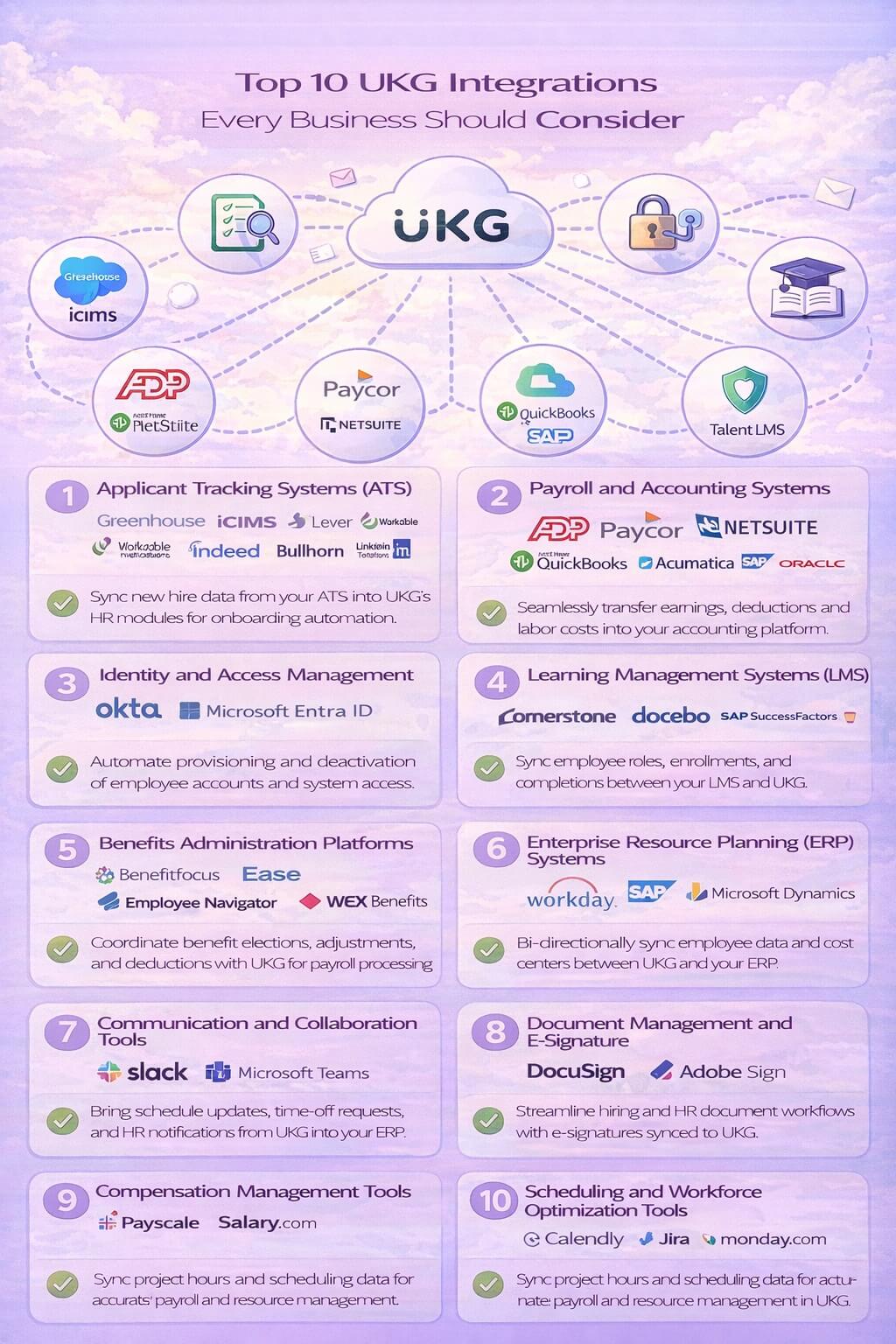
1. Applicant Tracking Systems (ATS)
Popular options: Greenhouse, iCIMS, Lever, Workable, Indeed, Bullhorn, LinkedIn Talent Solutions
The moment a recruiter clicks “hire” in your ATS, that candidate’s information should flow automatically into UKG. No manual re-entry. No copying and pasting. No delays.
Why it matters: New hire data contains dozens of fields like name, address, social security number, compensation, department, job title, start date, and more. Manually entering this information wastes time and introduces errors. Integration ensures your new employees show up in UKG ready for onboarding and payroll processing from day one.
What gets synced: Candidate demographics, offer details, compensation data, job requisition information, hiring manager assignments, and start dates flow seamlessly from your ATS into UKG’s HR modules.
2. Payroll and Accounting Systems
Popular options: ADP, Paycor, NetSuite, QuickBooks, Acumatica, SAP, Oracle Financials
Your UKG system tracks time, attendance, earnings, and deductions. Your accounting system needs that information to process journal entries, manage general ledger accounts, and generate financial reports.
Why it matters: Manual payroll reconciliation between UKG and your ERP takes hours every pay period. Integration automates the transfer of earnings, taxes, and deductions into your financial system, broken down by department, location, cost center, or any other dimension you need.
What gets synced: Total earnings, deductions, taxes, benefit contributions, labor costs by department, and pay summaries flow from UKG to your accounting platform. Some integrations are bi-directional, syncing cost centers and organizational structures back into UKG.
3. Identity and Access Management
Popular options: Okta, Microsoft Entra ID (formerly Azure AD)
Every time someone joins your company, changes roles, or leaves, their system access should update automatically. Identity management integration connects UKG’s employee lifecycle data with your access control systems.
Why it matters: Manual account provisioning is slow and creates security risks. When an employee leaves, their accounts might stay active for days or weeks. When someone gets promoted, they might not get access to tools they need. Integration automates the entire lifecycle: create accounts on day one, update permissions when roles change, and deactivate everything when someone leaves.
What gets synced: Employee status changes, role assignments, department transfers, terminations, and rehires trigger automatic account provisioning, permission updates, and deactivations in your identity management platform.
4. Learning Management Systems (LMS)
Popular options: Cornerstone OnDemand, Docebo, SAP SuccessFactors Learning, 360Learning, TalentLMS
Training compliance and skill development are critical HR functions. Your LMS needs to know who works for you, what their roles are, and what training they need.
Why it matters: Without integration, HR manually enrolls employees in courses, tracks completions in spreadsheets, and struggles to tie learning outcomes back to performance. Integration automates course assignments based on role, tracks completions back to employee records in UKG, and ensures compliance training gets completed on time.
What gets synced: Employee demographics, job roles, departments, course enrollments, completion records, certification dates, and skill assessments flow between your LMS and UKG.
5. Benefits Administration Platforms
Popular options: Benefitfocus, Ease, Employee Navigator, WEX Benefits
Open enrollment and benefits changes require constant synchronization between UKG and your benefits platforms. Employees enroll in plans, make changes during qualifying life events, and adjust contributions throughout the year.
Why it matters: Benefits data directly impacts payroll deductions. When an employee enrolls in a health plan or adjusts their 401k contribution in your benefits platform, that change must reflect in UKG payroll immediately. Integration prevents the errors and delays that happen when these systems don’t communicate.
What gets synced: Employee demographics, benefit elections, coverage levels, dependent information, contribution amounts, and qualifying life events sync between platforms. Deduction amounts flow back to UKG for payroll processing.
6. Enterprise Resource Planning (ERP) Systems
Popular options: Workday, SAP SuccessFactors, Oracle HCM, Microsoft Dynamics 365
Many organizations use one system for financials and another for workforce management. If you’re running Workday or SAP for enterprise HR but using UKG for time and attendance, integration becomes critical.
Why it matters: Your enterprise HCM holds core employee data, but UKG provides superior workforce management capabilities for scheduling, time tracking, and labor optimization. Integration ensures both systems stay synchronized without manual file transfers or duplicate data entry.
What gets synced: Employee master data, organizational hierarchies, cost centers, job codes, compensation details, and time data sync bi-directionally, keeping both systems accurate and current.
7. Communication and Collaboration Tools
Popular options: Slack, Microsoft Teams
Modern employees spend their workdays in collaboration platforms. Bringing UKG notifications and self-service capabilities directly into these tools improves engagement and response times.
Why it matters: Employees don’t want to log into multiple systems to check their schedule, request time off, or swap a shift. Integration brings UKG functionality into the tools they already use every day. Managers receive schedule notifications, time-off requests, and alerts right where they’re already working.
What gets synced: Schedule updates, time-off requests, shift changes, attendance notifications, and HR announcements flow from UKG into your communication platform. Employees can interact with UKG data without leaving Slack or Teams.
8. Document Management and E-Signature
Popular options: DocuSign, Adobe Sign
Hiring and HR processes generate mountains of paperwork: offer letters, tax forms, benefit elections, policy acknowledgments, and more. E-signature integration streamlines document workflows and ensures completed forms flow back into employee records.
Why it matters: Paper processes slow down hiring and onboarding. Digital signatures speed things up, but only if the signed documents automatically attach to the right employee record in UKG. Integration completes the loop, ensuring nothing gets lost and compliance documentation is always current.
What gets synced: New hire packets, tax withholding forms, direct deposit authorizations, benefit elections, policy acknowledgments, and other signed documents automatically attach to employee profiles in UKG.
9. Compensation Management Tools
Popular options: Payscale, Salary.com
Fair, competitive compensation requires data. Compensation management platforms provide market benchmarks, pay grade structures, and analytics that inform your compensation strategy.
Why it matters: Your compensation data lives in UKG, but analyzing it against market rates requires integration with compensation intelligence platforms. This connection ensures your pay structures remain competitive and equitable without manual data exports and uploads.
What gets synced: Job titles, pay grades, compensation levels, and employee demographics flow from UKG to compensation platforms. Recommended pay ranges and market data flow back to inform compensation decisions.
10. Scheduling and Workforce Optimization Tools
Popular options: Calendly, Jira, Monday.com, Asana
Project-based work, client scheduling, and task management often happen outside your core HCM system. Integrating these tools with UKG creates a complete picture of where your workforce spends time.
Why it matters: For professional services firms, agencies, and project-based organizations, billable hours tracked in project management tools need to sync with UKG for payroll and client billing. Integration eliminates the double-entry that frustrates employees and creates billing errors.
What gets synced: Project hours, task assignments, client codes, and work logs flow from project management and scheduling tools into UKG for time tracking, payroll, and labor costing.
The Hidden Costs of Manual Integration
You might think you can handle integration with scheduled file transfers or custom scripts your IT team maintains. Many organizations start there. The problem is that manual integration methods create their own challenges:
Time-consuming maintenance: Every time UKG updates or your third-party system changes, someone needs to fix the integration. That person is usually an expensive developer or IT specialist.
Error-prone data transfers: File-based integrations often fail silently. Data doesn’t transfer, but nobody notices until payroll runs incorrectly or an employee doesn’t get paid.
No real-time updates: Scheduled transfers mean data is always outdated. Your benefits system shows yesterday’s enrollments. Your accounting system has last week’s hours. Decisions get made on stale information.
Limited scalability: Adding a new integration means starting from scratch. Each connection requires custom development work, testing, and ongoing maintenance.
Compliance risks: Manual processes make audit trails difficult. When data doesn’t transfer correctly, proving compliance becomes nearly impossible.
Research shows that 57% of organizations cite cost as a major barrier to implementing proper integration. But the real cost isn’t the integration platform itself. It’s the hundreds of hours spent on manual workarounds, the errors that slip through, and the strategic opportunities missed because your team is too busy fixing data problems.
How CloudApper iPaaS Solves UKG Integration Challenges
This is where CloudApper iPaaS transforms how UKG users approach integration. Rather than building custom connections for every system, CloudApper provides a comprehensive integration platform specifically designed for UKG environments.
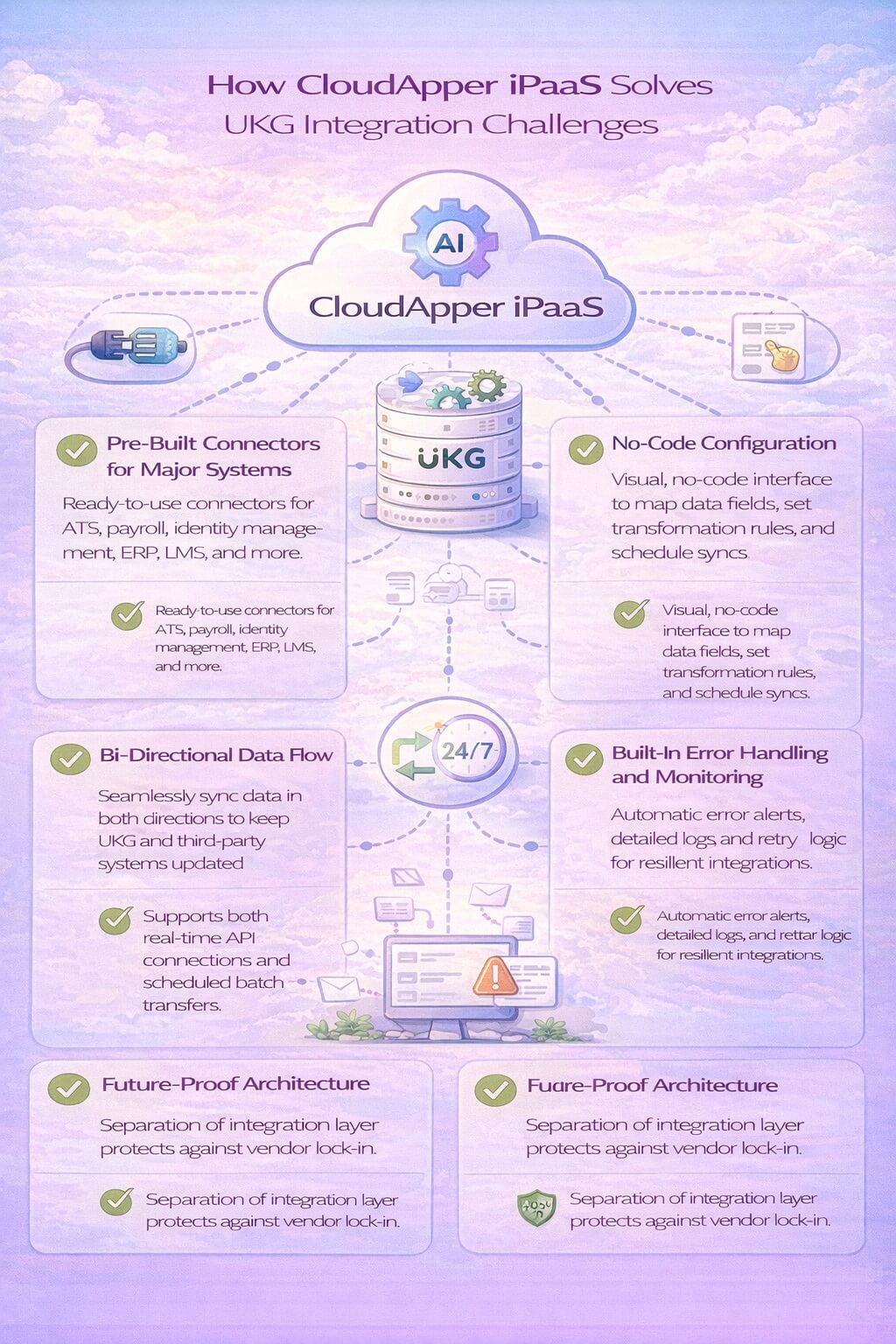
Pre-Built Connectors for Major Systems
CloudApper comes with ready-to-use connectors for all the systems mentioned above and dozens more. These aren’t generic API connections that require custom development. They’re purpose-built integrations that understand the specific data structures, workflows, and business logic of both UKG and your third-party systems.
Want to connect UKG with Greenhouse for recruiting? There’s a pre-built connector. Need to sync payroll data with NetSuite? Already built. Integrating with Okta for identity management? Ready to deploy.
No-Code Configuration
CloudApper uses a visual, no-code interface that lets HR and IT teams configure integrations without writing code. Map employee fields between systems using drag-and-drop tools. Set up data transformation rules with simple logic. Schedule sync frequencies with a few clicks.
This matters because your HR team shouldn’t need to hire developers just to connect their systems. CloudApper puts control in the hands of the people who understand the business processes, not just the technology.
Real-Time and Scheduled Sync Options
Different integrations have different timing needs. New hire data should sync immediately when someone gets hired. Benefits enrollments need real-time updates to ensure payroll accuracy. But financial data might only need daily batch transfers.
CloudApper supports both real-time API connections and scheduled batch transfers, letting you optimize each integration for speed, efficiency, and cost.
Bi-Directional Data Flow
Many integrations need to work in both directions. Employee demographics should flow from UKG to your LMS, but course completions need to flow back to UKG. Cost center updates from your ERP should sync into UKG, while time data flows from UKG to your accounting system.
CloudApper handles bi-directional sync seamlessly, ensuring both systems stay current without conflicts or data overwrites.
Built-In Error Handling and Monitoring
Integration failures happen. APIs go down. Data formats change. Fields get mapped incorrectly. CloudApper includes built-in monitoring, error notifications, and automatic retry logic that keeps integrations running smoothly.
When something does break, you get immediate alerts with detailed error logs that make troubleshooting fast and straightforward.
Future-Proof Architecture
Here’s something most integration platforms won’t tell you: if you ever migrate from UKG to another HCM platform, your integrations don’t have to start from scratch. CloudApper’s architecture separates the integration layer from your core systems, meaning your connections to Greenhouse, NetSuite, Okta, and other platforms can migrate with minimal changes.
This prevents vendor lock-in and protects your integration investment for the long term.
Real Business Impact: What Proper Integration Delivers
Let’s talk about what all this actually means for your organization.
Faster hiring: Automated data flow from ATS to UKG cuts onboarding time in half. New employees show up in the system on day one, ready for orientation and payroll.
Payroll accuracy: Bi-directional sync with benefits and time systems eliminates the manual reconciliation that causes payment errors. Employees get paid correctly every time.
Compliance confidence: Automated audit trails track every data change across systems. When auditors ask for documentation, you can produce it instantly.
IT efficiency: Your IT team stops spending hours maintaining fragile custom integrations and can focus on strategic projects instead.
Employee satisfaction: Self-service tools in Slack and Teams mean employees can check schedules, request time off, and update information without logging into multiple systems.
Strategic HR: When your HR team isn’t drowning in data entry, they can focus on talent development, culture building, and strategic workforce planning.
One healthcare organization using UKG Pro with CloudApper iPaaS eliminated 15 hours per week of manual data entry. Their payroll accuracy improved by 40%. Their time-to-hire dropped by 35%. These aren’t isolated results. This is what happens when integration actually works.
Getting Started with UKG Integration
If you’re ready to stop wasting time on manual data transfers and start leveraging the full power of connected HR systems, here’s how to begin.
Step 1: Audit Your Current Integration Landscape
List every system that should connect with UKG. Include your ATS, payroll, benefits, learning, identity management, communication, and financial platforms. For each system, identify:
- What data needs to sync
- How often it needs to sync
- Whether the connection needs to be bi-directional
- Current pain points with manual processes
Step 2: Prioritize Based on Impact
You don’t have to integrate everything at once. Start with the connections that create the biggest problems. For most organizations, this means:
- ATS integration to automate new hire data transfer
- Payroll/accounting integration to eliminate manual reconciliation
- Identity management integration to improve security and compliance
- Benefits administration integration to ensure payroll accuracy
Step 3: Choose the Right Integration Platform
Evaluate integration platforms based on:
- Pre-built connectors for your specific systems
- Ease of use for non-technical users
- Support for both real-time and batch processing
- Proven track record with UKG implementations
- Scalability as your needs grow
- Total cost of ownership including setup and maintenance
CloudApper iPaaS checks all these boxes for UKG users, with purpose-built connectors, no-code configuration, and a support team that understands UKG environments.
Step 4: Implement in Phases
Start with one or two critical integrations. Get them working smoothly. Learn the platform. Build confidence. Then expand to additional systems.
Phased implementation reduces risk, allows for learning and adjustment, and delivers quick wins that build organizational support for broader integration initiatives.
The Future of UKG Integration
UKG continues to invest heavily in their API ecosystem and partner integrations. The UKG Pro Integration Hub, powered by Dell Boomi, provides robust capabilities for complex enterprise integrations. The UKG Developer Hub offers comprehensive documentation and tools for custom development.
These are excellent resources for organizations with significant IT resources and complex integration requirements. But for most businesses, a managed integration platform like CloudApper iPaaS provides faster time-to-value with less technical complexity.
The future of HR technology isn’t about replacing your core HCM system every few years. It’s about building a connected ecosystem where best-of-breed tools work together seamlessly. Your ATS handles recruiting because that’s what it does best. UKG manages workforce operations because that’s its strength. Your financial system handles accounting. Your LMS manages learning.
The magic happens when these systems share data effortlessly, creating a unified experience for employees and actionable insights for leadership.
Stop Letting Disconnected Systems Hold You Back
UKG Pro, UKG Ready, and UKG Pro WFM are powerful platforms that can transform how you manage your workforce. But they can’t deliver their full value when data is trapped in silos and your team wastes hours on manual transfers.
Integration isn’t a technical project that only IT cares about. It’s a strategic capability that impacts hiring speed, payroll accuracy, compliance, employee experience, and your team’s ability to focus on what really matters.
The systems you need to integrate already exist. The technology to connect them is proven. The business case is clear.
The only question is: how much longer will you accept the limitations of disconnected systems?
Ready to connect your UKG environment with the tools your business depends on? Discover how CloudApper iPaaS provides pre-built connectors, no-code configuration, and managed integration services specifically designed for UKG users. Visit CloudApper iPaaS to learn how seamless integration can transform your workforce management and eliminate the data chaos holding your organization back.